What's in My Agent's Guideline for QA Testing
A simple explanation of what an "Automated Testing Rules" guide is for agentic AI, why it exists, and what's in mine — written for people who don't write code for a living.
The Big Idea: Agents Can Think, So They Need Guardrails
Here's something that surprises people the first time they work with an AI agent: these agents are not calculators. A calculator does exactly one thing, the same way, every time. An AI agent is closer to a very fast, very literal-minded intern who read every programming book ever printed — but has never actually worked at your company before. It can think. It can make judgment calls. It can decide, on its own, "I think the user wants me to also refactor this file while I'm in here." Sometimes that's wonderful. Sometimes that's how a working test suite gets quietly rewritten into something that no longer tests what you thought it was testing.
In order to take advantage of what AI can do these days and truly help you and your team do things better and faster, you have to give it access to company info, like your CRM, email account, support ticket platform, development task/feature request/bug report tracking platform etc. If you really want it to be accurate in understanding how your software works, you need to give it access to your codebase (or a copy preferably).
That's the core reason a guide like this exists. When you give an agent access to things that matter — your source code, your Jira project, your test environment, your production environment — you are handing the keys to something important to something smart enough to improvise. Improvisation is a feature, not a bug. But unguided improvisation is how work goes sideways at 2 a.m. when no human is watching.
A rules guide is the guardrail. It says: "Yes, you're smart. Here's exactly how we do things here. Here's what you're allowed to touch. Here's what you're not. Here's the order. Here's what to do when things break. Here's what 'done' looks like." The agent reads it once at the start, and then it has the context it needs to make good decisions instead of creative ones.
Why an Agent Needs This Even More Than a Human Does
A human new to your team would also benefit from a guide like this. But a human has something the agent doesn't: lived experience, common sense, and the social instinct to ask before doing something destructive. A human who's never seen your Jira before will pause before editing a ticket and think, "Wait, should I be changing this?" An agent will not. An agent will read its instructions, infer what seems helpful, and do it — including modifying things it shouldn't, if nothing told it not to.
That's why a guide for an agent has to be more explicit than a guide for a human would be. You can't rely on "well, obviously you don't post fake results." It is not obvious to the agent. You have to say it. And you have to keep it there permanently, so the next time the agent runs — tomorrow, next week, next month — it reads the same rules again and behaves the same way.
This is the shift in mindset: a guide for an agent is not training. It is not a one-time conversation. It is a permanent reference document the agent consults every single time it does the job. Think of it like the laminated safety card a forklift operator glances at before every shift — not because they don't know how to drive, but because the card settles every judgment call the same way, every time.
Why I have a Guideline for My Agent
This article describes the guideline that I have for my agent for QA testing, specifically regarding reading bug reports on tasks in Jira (the platform used to manage bug reports), how to perform automated testing with Puppeteer and Playwright, and where and how to do a write up of the results in Jira. This guide describes the steps that an agent would do regarding automatic testing (because there is still QA testing that needs to be manually done by a person) in order to help a QA tester at DuckBuddy — a social platform with live chat, an AI-powered search that matches people together, chat rooms, and screen sharing that helps remote workers find other like them so they can work remotely in community. When a software bug is reported (at any company), someone has to understand it, search through the codebase for the code (layer of code) to identify where it is, write a possible solution, test that solution in a development environment and then QA environment, and write an update on the task in Jira with the results for development and the team at large.
That sounds like one job technically. It is actually a chain of about a dozen small decisions: which testing tool to use, how to find the right buttons on the screen, how to log in, what to check, how to gather the results, how to format the report, where to save it, and how to post the results back onto the Jira ticket so the developer who fixed the bug can see whether their fix held up.
Every one of those decisions is a place the agent could go off-script. Without a guide, the agent will pick the wrong tool, maybe forget the tool they used on the last test that they still need to use on this test, hallucinate a button name that doesn't exist based on what it thinks should be on the page, forget a step, do the steps in a different order every time, burn through tokens re-explaining the same setup, and touch things it shouldn't — like changing the status of a Jira ticket. The guide exists to close every one of those gaps, permanently, in one document.
What "Hallucination" Means Here — and How a Guide Limits It
When people say an AI "hallucinates," they mean it confidently produces information that sounds plausible but is wrong — a function name that doesn't exist in your code, a Jira field that isn't on your account, a button ID it invented because it seemed reasonable. The agent isn't lying; it's pattern-matching, and sometimes the closest pattern it has seen is from a different codebase, not yours.
A guide limits this in a very specific way. Instead of leaving the agent to infer how your app works from general knowledge, the guide pins down the specifics: "The login field is #Email, not #Username." "The chat rooms endpoint is /api/v1/chat/rooms." "Always use a date at least 14 days in the future." Every one of those specifics shuts the door on a hallucination the agent would otherwise walk right through.
How a Guide Saves Tokens (Which Is the Same as Saving Money)
Every word an agent reads or writes costs "tokens" — the meter that runs on your AI usage. Without a guide, every time you want the agent to test a feature, you have to re-explain the whole setup: which tool, how to log in, what to check, how to format the report, where to save it, what to post to Jira. That's a long prompt every single time, plus clarifying questions, plus corrections. Each round is another burst of tokens.
With a guide, all of that lives in the document once. Your actual request collapses to something like "Run the Live Chat QA tests using the guidelines and post the results to the Jira issue." That's about 15 tokens. The agent reads the guide, follows it, and produces the report in one clean run — no questions, no corrections, no wasted back-and-forth.
Over a year the difference is enormous. The guide is a one-time investment that pays for itself the second time you use it — and keeps paying every time after.
What's In My Guideline for my Agent
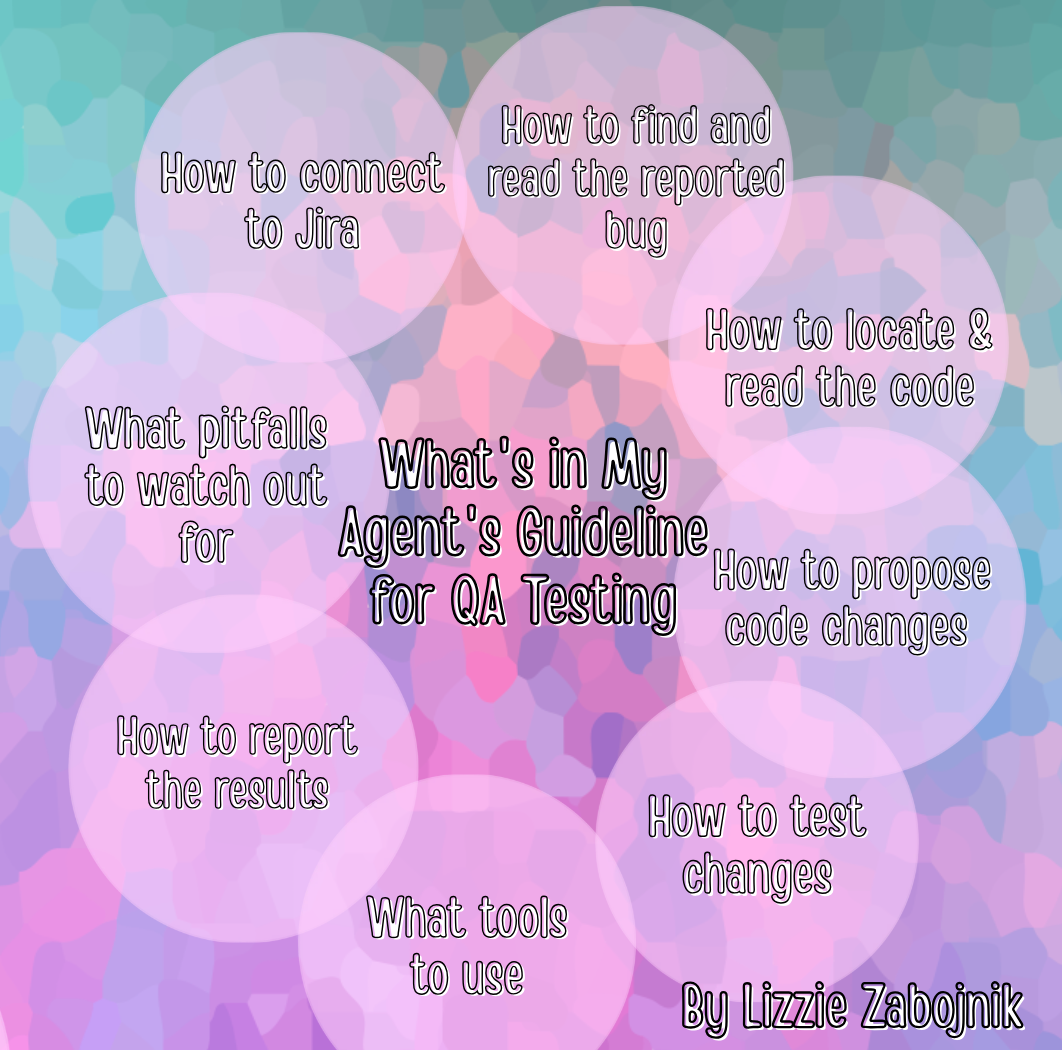
The Cover and Table of Contents
The cover tells the agent exactly what this document is, what environment it applies to, and where it came from. The table of contents is a map — it lets the agent find the section it needs without scanning the whole document.
Section 1 — Tool Selection: Playwright vs Puppeteer
This section answers one question the agent would otherwise agonize over every time: "Which testing tool should I use?" The project has two — Playwright (newer) and Puppeteer (older, still used for some existing tests). Without this, the agent might rewrite a perfectly working old test in the new tool just because it seemed "better." The guide settles it: new tests always use Playwright. Existing Puppeteer tests get left alone. Decision made, permanently.
There's also a features-in-scope table that names the actual DuckBuddy features the tests cover — Live Chat, Agentic AI Search and Matching, Screensharing etc — with example Jira issue keys. When you say "test Live Chat," the agent already knows what feature it's dealing with. No guessing.
Section 2 — Playwright: New Test Authoring
This is the meat of the guide. It walks the agent through every step of writing a new automated test, the same way every time.
2.1 codegen tells the agent to always start with a tool that watches you interact with the app and writes the test code for you. This is huge for limiting hallucination — instead of the agent imagining what the buttons are called, codegen shows it. Don't guess. Watch and copy.
2.2 Full Workflow is a numbered seven-step recipe: pre-analyze, run codegen, scaffold the test file, add assertions, add result recording, run, debug. The same seven steps, the same order, every time.
2.3 Locator Strategies is a ranked list of how to find elements on the page, from most-resilient to last-resort. Prefer finding things by role and visible text — a button labeled "Save" — over fragile internal CSS classes that break the moment a developer renames something.
2.5 Login Helper pins down exactly how to log into DuckBuddy — the field is #Email, not #Username. One line of guidance that prevents an entire class of "the test failed at the login step" mistakes.
2.6 Assertions shows the agent what a good check looks like — verify the button is visible, verify the text changed, verify the URL shifted. Stops the agent from inventing its own assertion style on every test.
2.7 Form Submission Pitfalls is the self-correction part. When a form save fails, the guide tells the agent not to guess why — capture the actual data sent and the actual errors returned, then read those. Diagnose first, like a good engineer would.
2.8 Strict Mode Violations handles a specific crash: when the agent tries to click something and Playwright says "you matched six things, which one?" The guide says: use .first() or scope your search. One paragraph preventing a whole family of crashes.
2.9 PDF Report Generation tells the agent how to produce the final report. Five numbered requirements — collect results in a structured way, generate a colored PDF, color-code results (green/red/yellow), save to the Projects folder with a specific filename, and make sure the PDF title matches the Jira issue title word-for-word. That last one matters: if the title is off by a word, a human can't match the report back to the ticket.
2.10 Debugging Commands is a short cheat sheet: run with traces, open the trace viewer, run in slow motion, run a single test by name. The agent doesn't have to figure out how to debug; the commands are right there.
Section 3 — Automated Test Runner: Executing and Reporting
If Section 2 is "how to write a test," Section 3 is "how to run the whole sequence and report the results."
3.1 Standard Run Sequence is the end-to-end playbook: pull test case definitions from Jira (read-only), run the Playwright test, collect results, generate the colored PDF, save it, post a results comment back onto the Jira issue, then run production validation if everything passed, then humans run the manual tests last. Eight steps in a specific order.
3.2 Report Generation Gate is a critical safety rule: don't generate a "Failed" PDF unless tests actually ran and failed. This prevents a nasty failure mode — the testing command itself errors out, and a confused agent produces a polished PDF that says "5 Failed" when nothing actually ran. The gate forces the agent to check: did tests execute? If not, don't make a fake-Failed PDF.
3.3 Windows CLI Pitfalls is a small table of things that always go wrong on Windows — the command needs shell=True, certain flags don't exist, Unicode crashes. Gotchas a human would remember after the third time; the guide bakes them in so the agent gets it right the first time.
3.4 Report Naming & PDF Structure locks down what the report looks like when you want the agent to generate a simple report that shows what they did and why: passed summaries get green headers, failed get red, manual tests get a gray section. Same visual language every time, so a reader can scan the report in five seconds.
3.5 Release Validation Sequencing is the order environments get tested — QA first, then production only if QA passed. Explicit, so the agent never validates production before proving QA is green.
3.6 Posting QA Test Results to Jira Issues is the loop-closer. After the agent runs the tests and produces the PDF report, it is required to go back to Jira and post a comment on the very same ticket it originally pulled the bug details from. The comment includes the issue key, the environment, the date, pass/fail/warn counts, a short table of each test case and its verdict, a one-line plain-English conclusion, and a pointer to the PDF filename. The agent is only allowed to add a comment — never change the ticket's status, never reassign, never edit any field. Humans decide what to do with the result; the agent just makes sure the result is sitting right there on the ticket.
Why this matters: the ticket that described the work to be done now also describes the verification of that work. A developer reading the ticket sees the test verdict next to the original bug report. QA doesn't maintain results in a separate system. And the next time an agent runs tests for a similar feature, it can read the prior QA comment and see what was already covered — less duplicated effort, fewer tokens.
Section 4 — Puppeteer: Existing Test Patterns
This section exists because the project has old tests in Puppeteer that still work, and rewriting them would be a waste. The guide says: leave these alone, but here's how they work.
4.1 Mandatory Pre-Analysis is a five-step process for confirming what's actually on the page before writing a single line of test code. The #1 cause of flaky tests is writing selectors without first confirming from the source code that the button is actually labeled what you think. Five to ten minutes of homework that prevents hours of debugging later.
4.2 Inline PDF Report Recording Pattern shows the agent how to collect each test's result as it runs, instead of trying to remember them all at the end.
4.3 Key Lessons Learned is a table of six hard-won insights from past work — like "never read a widget's value right after the page loads because it's still populating" and "always include the CSRF token in any POST or you'll get a silent 500 error." Each was discovered the hard way by a human; the guide means the agent doesn't have to rediscover them.
4.4 Full File Template Reference is a complete skeleton test file the agent can copy and adapt. Having the template means every test file follows the same shape.
Section 5 — Quick Reference Tables
This is the back-of-the-book cheat sheets.
5.1 DuckBuddy-Specific Patterns is a lookup table of "if you encounter this situation, do this." Login field is always #Email. SPA pages need networkidle. Event date validation needs a date at least 14 days out. Each entry is a one-line answer to a question the agent would otherwise figure out from scratch.
5.2 PDF Report Structure Reference is a section-by-section breakdown of what the final PDF must contain and what color each section uses. The agent can tick the boxes before declaring the report done.
5.3 ripgrep Commands is a cheat sheet of the search commands the agent uses to verify things in the source code before writing tests.
5.4 Common Errors & Fixes is the troubleshooting table. PDF not generated → reportlab isn't installed. Unicode crash → use UTF-8 with error replacement. Jira comment post returns 401 → token expired. Every entry is a "stop and ask the human" moment turned into a "the agent fixes it" moment.
Section 6 — Plain-English Test Case Reporting Requirements
This is the bridge between technical QA work and the humans who need to understand it. Every PDF report must include a section that explains each test case in plain English — what we tested, how, what the result was, and why it matters — without any code or jargon. A product manager or stakeholder should be able to open the PDF and understand what was tested without reading a single line of code.
There's a template: Title, What We Tested, How We Tested It, Result, Why It Matters. Writing guidelines: no code snippets, no jargon, use analogies, always answer "what happens for users if this fails?", keep it to three to five sentences per case.
It ends with the visual requirements for the PDF — letter-size pages, slate-blue cover, blue section markers, color-coded result cells, slightly larger font in the plain-English section for readability. Same look, every report, every time.
So Why Does All This Matter Again?
Here's the short version:
- It keeps the agent on target. The agent reads the rules once, then follows them. It doesn't drift or improvise.
- It limits hallucination. Every specific — the login field, the endpoint, the date rule — closes a door the agent would otherwise walk through with a confident but wrong guess.
- It makes the same repetitive task consistent. Every report comes out the same way. Every test file follows the same shape. This month's verdict is comparable to last month's.
- It keeps tokens — and money — to a minimum. The long explanation lives in the document, once. Your actual request collapses to one short sentence.
- It protects things that matter. The guide says "read-only" in a dozen places. It says "comment only, never transition." It says "don't generate a fake Failed report." Those rules keep the agent from doing something destructive to your Jira project or your team's trust in the results.
- It makes the agent self-correct. The Common Errors and Pitfalls sections turn "stop and ask the human" moments into "the agent fixes it and keeps going" moments.
- It creates a simple to understand report. In order to review, learn, and verify what the agent did, the guide tells the agent to create a simple PDF report for each test for a human to read.
The Neat Part: You Can Use an Agent to Help Write the Guide
You don't have to write a guide like this from scratch by yourself. You can use an AI agent to help you build it.
An agent is excellent at one specific thing: looking at how a job is actually done and writing it down as a recipe. A human is good at knowing the job and bad at writing down every step in the right order with all the gotchas. The agent is the opposite — it doesn't know your job, but it's tireless at structuring what you tell it into a clean, complete document.
The workflow:
- Do the job once, by hand, with the agent helping. Pay attention to every step, every tool, every error and how you fixed it.
- Have the agent draft the guide from what it observed. Ask it to write up everything as a structured rules document.
- Review the draft and fill in the "why." The agent doesn't know why you always use a date 14 days out — add a note. It doesn't know why you never transition Jira tickets — add the rule. You're the senior reviewer; the agent is the junior drafter.
- Run the agent through the draft and watch where it gets stuck. Every place it stops to ask you a question is a missing instruction. Add it. Every place it makes a mistake is a missing pitfall. Add it. Over a few runs, the guide converges on something that handles virtually everything on its own.
- Have the agent generate the final styled PDF. Ask an agent that can write Python and reportlab to turn the markdown draft into a polished, color-coded PDF. The agent writes the generator script; you run it once and you have the document.
That last step flips the whole thing on its head. Humans using agents to help build guides for other agents. You don't have to be a Python developer to produce a styled PDF rules guide. You have to know your job, work alongside an agent to do the job once, review the agent's draft, and ask the agent to produce the final document. The agent does the typing, the structuring, and the styling. You do the knowing. Between the two of you, you produce something neither of you could have produced alone — and that something goes on to make every future agent run smoother, cheaper, and more reliable.
That's the loop. Write the guide once, with the agent's help. Use the guide forever. The guide makes the next agent run better. The better agent helps you write the next guide. Each iteration, you spend less time supervising and more time just asking — and getting.
Summary
An AI agent is a smart, fast, literal-minded intern who has read every programming book but has never worked at your company. When you hand it access to your source code, your Jira, and your environments, you're handing the keys to something smart enough to improvise — and improvisation without guardrails is how work goes sideways at 2 a.m.
A rules guide is the guardrail. It tells the agent which tool to use, how to log in, what to check, how to find things without guessing, how to record results, how to format the report, where to save it, what to post to Jira, what it's allowed to touch, and what to do when things break. The agent reads it once at the start of every run and then has all the context it needs to make good decisions instead of creative ones.
The guide limits hallucination, keeps the same repetitive task consistent, keeps tokens and cost to a minimum, and protects delicate things. Every section exists for a reason — and the neat part is you don't have to write it alone. An agent can watch you do the job once, draft the guide from what it observed, and generate the final styled PDF. Humans using agents to help build guides for other agents. Write the guide once, with the agent's help. Use the guide forever. That's the whole game.
This article explains the purpose and structure of the "DuckBuddy / Jira Automated Testing Rules" guide (July 17, 2026), a 22-page reference document for an AI agent running repetitive QA work against the DuckBuddy platform. DuckBuddy is a software concept regarding a social media style online work environment to help remote workers find community online so you can "work together as you work alone".