Tracking the Right Stuff: Essential Artifacts in Software Development
In the complex, collaborative, and ever-evolving world of software development, documentation is not a bureaucratic overhead — it is a force multiplier for quality, speed, and long-term maintainability. And it sets you up for efficient troubleshooting, which can not be understated in a world where everything has the possibility to break. Without clear records of decisions, requirements, changes, and processes, teams face miscommunication, duplicated effort, costly bugs, knowledge silos, and painful onboarding. Good documentation creates traceability, enables effective collaboration, supports regulatory compliance, accelerates debugging, and preserves institutional knowledge as people and technologies change.
But here is something that most people don't think of. Software development success depends not only on writing great code but also on maintaining clear, accessible records of every decision, change, and deliverable. These recorded "artifacts" — from high-level requirements to deployment records — form the backbone of collaboration, quality assurance, traceability, and continuous improvement. Whether using Agile's Scrum, Kanban, or hybrid methodologies, proper documentation of these elements helps teams reduce errors, onboard new members faster, comply with regulations, and deliver reliable software that teams can support long term.
Modern development relies on a rich set of documented artifacts. These living records connect business needs to delivered code and running systems.
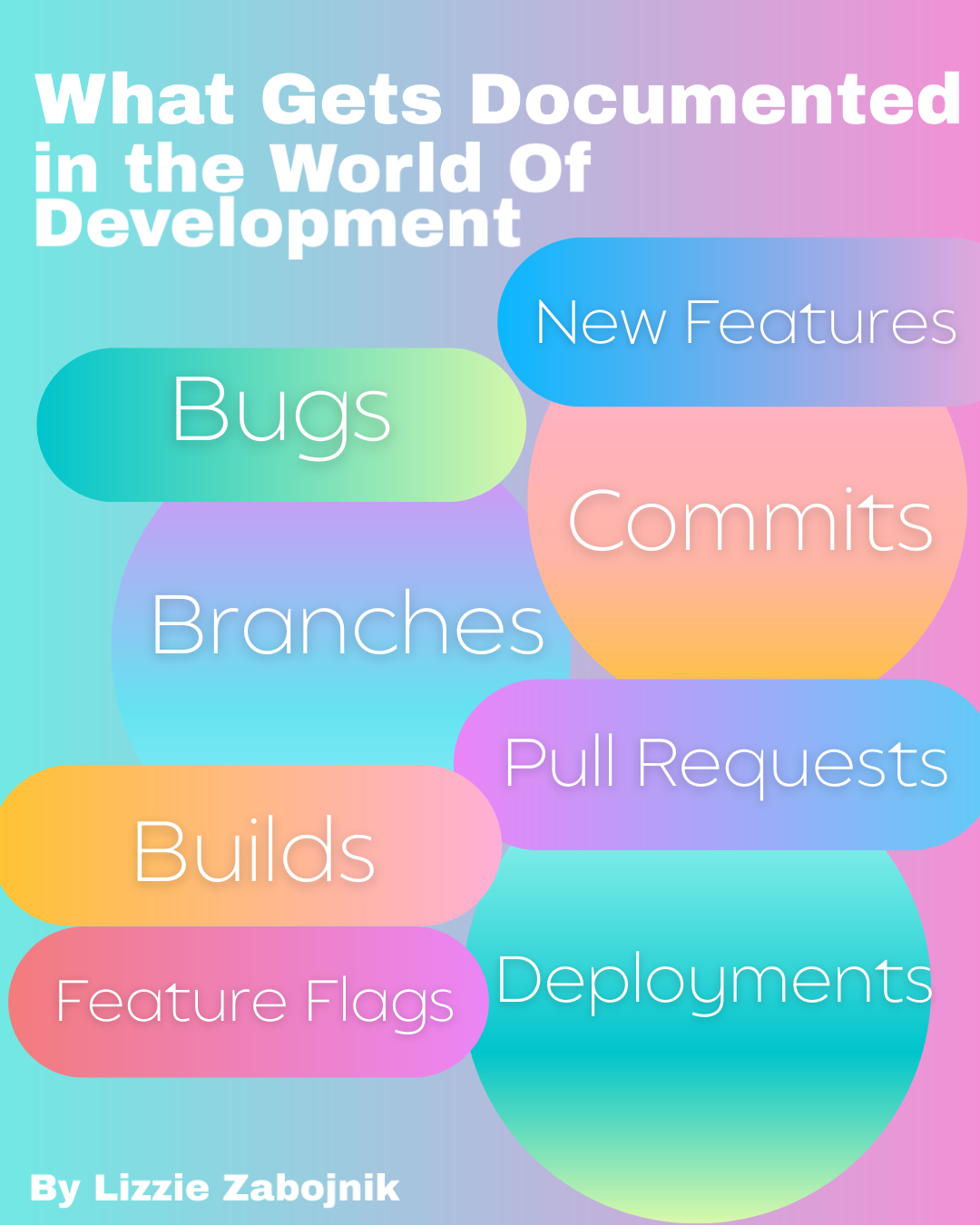
The most essential ones across three categories:
- Requirements & Management - new features, modules, large enhancements, feature requests, bugs
- Source Code & Versions - Commit, branch, pull request (PR)
- Build & Delivery - Build, deployment/release, feature flag
Each of the sections below include emphasis on what each is, why documentation of it matters, and how it specifically benefits developers and QA testers. The examples purposely include examples of how this would work in Jira, Monday, Linear, and GitHub Issues, two platforms that teams use to plan and track development projects.
1. Requirements & Management
This category captures what needs to be built and when, providing the foundation for all subsequent work.
Epic (in Jira) / Feature
An Epic is a large, high-level goal that represents a significant body of work for a product or software, often too big to complete in a single sprint (2 weeks). This could include new features, new modules in softwares, and other big expansions of products and softwares. It is broken down into smaller Features or User Stories - more manageable pieces. A Feature is similar — a cohesive set of functionality delivering business value for a big product or software enhancement, which can sometimes require lots of work that needs to be broken into pieces in order to create, test, and deploy it.
- Why it’s important: Epics/Features align teams with strategic business objectives and prevent scope creep by grouping related work.
- Why document: Detailed descriptions, acceptance criteria, business context, and dependencies create a shared understanding that survives team changes.
- How it helps: Developers see the big picture and prioritize technical implementation effectively. QA testers use Epic-level acceptance criteria to design comprehensive test strategies and ensure end-to-end coverage.
User Story (in Jira or Pulse in Monday)
A User Story is a small, manageable unit of work written from the end-user’s perspective, typically in the format: “As a [user], I want [goal] so that [benefit]”, basically feature requests.
- Why it’s important: It keeps development focused on user value rather than technical assumptions.
- Why document: Stories include detailed acceptance criteria, wireframes, edge cases, and priorities, making requirements explicit and testable.
- How it helps: Developers implement exactly what’s needed without ambiguity. QA testers derive test cases directly from acceptance criteria, enabling efficient verification and regression testing.
Task / Issue / Bug / Ticket
These are granular work items tracked in tools like Jira, Monday.com, Linear, or GitHub Issues. A Task is actionable work; an Issue or Bug reports a problem; a Ticket is a general tracking item.
- Why it’s important: They break work into assignable, trackable units and capture defects early.
- Why document: Rich details — reproduction steps, screenshots, severity, linked stories, and resolution notes — create an audit trail.
- How it helps: Developers quickly understand and fix issues with context. QA testers reproduce bugs reliably, validate fixes, and prevent regressions through documented test steps.
Sprint / Milestone
A Sprint is a fixed time-box (usually 1–4 weeks) during which a team commits to completing a set of stories/tasks. A Milestone is a broader project checkpoint marking significant progress or a release target.
- Why it’s important: They create rhythm, focus, and measurable progress in iterative development.
- Why document: Sprint goals, burndown charts, retrospective notes, and completed items provide historical velocity data and lessons learned.
- How it helps: Developers plan capacity and manage workload sustainably. QA testers align testing efforts with sprint deliverables and use milestone data to forecast release quality.
2. Source Code & Versions
This layer documents how the software evolves over time, enabling collaboration and rollback.
Commit
A Commit is a saved snapshot of changes to the codebase, usually accompanied by a descriptive message.
- Why it’s important: It allows incremental progress while preserving history.
- Why document: Good commit messages (e.g., following Conventional Commits) explain what changed, why, and reference related tickets.
- How it helps: Developers trace why code exists or debug regressions by walking through history. QA testers correlate commits with features or bugs during investigation.
Branch
A Branch is an isolated copy of the codebase where developers work on new features, fixes, or experiments without affecting the main line (often called main or develop).
- Why it’s important: It enables parallel development and safe experimentation.
- Why document: Branch naming conventions (e.g., feature/user-auth, bugfix/login-crash) and linked PRs provide immediate context.
- How it helps: Developers work independently and merge confidently. QA testers can deploy specific branches for targeted testing.
Pull Request (PR)
A Pull Request is a formal request to review and merge code from one branch into another.
- Why it’s important: It enforces code quality through peer review before integration.
- Why document: PR descriptions include motivation, changes, testing done, screenshots, linked tickets, and reviewer comments.
- How it helps: Developers receive feedback, catch design issues early, and maintain coding standards. QA testers review PRs for testability and often perform exploratory testing on PR preview environments.
3. Build & Delivery
This category covers turning code into running software for users.
Build
A Build is the compiled, packaged, and often tested version of the application (e.g., Docker image, APK, executable, or website bundle) produced from source code.
- Why it’s important: It transforms raw code into a verifiable artifact ready for testing or release.
- Why document: Build pipelines (CI/CD logs), version numbers, dependencies, and build artifacts are recorded with timestamps and commit SHAs.
- How it helps: Developers reproduce issues in identical environments. QA testers receive consistent builds for automated and manual testing, ensuring reproducibility.
Deployment / Release
Deployment is pushing a build to an environment (development, staging, production). A Release is the broader event of making features available to users, often with release notes.
- Why it’s important: It delivers value to users and closes the development loop.
- Why document: Release notes, deployment logs, rollback plans, environment configurations, and post-deployment monitoring data are critical.
- How it helps: Developers troubleshoot production issues with full context. QA testers verify deployments and monitor for new issues in real environments.
Feature Flag
A Feature Flag (or Toggle) is a configuration switch that allows teams to enable or disable specific features at runtime without redeploying code.
- Why it’s important: It supports safe rollouts, A/B testing, and quick disabling of problematic features.
- Why document: Flag definitions, targeting rules, expiration dates, and experiment results are tracked in tools like LaunchDarkly or Unleash.
- How it helps: Developers ship code earlier and decouple deployment from release. QA testers test features in controlled cohorts and validate toggles before full exposure.
The Broader Impact of Strong Documentation
In today’s development landscape — characterized by distributed teams, rapid iteration, cloud-native architectures, and regulatory scrutiny — documentation is foundational to traceability, collaboration, risk reduction, and scalability. It transforms tribal knowledge into organizational assets, shortens onboarding from months to weeks, and makes audits straightforward. Most importantly, when customers report a bug, you know if and which update might have caused it, which branch of modified code is involved, who built it and more when needed. In modern DevOps practices, these records are not just passive text for a human to read, they are read by modern software tools to automate tasks (CI/CD pipelines), control how software is released (feature flags), and train AI assistants (git history of pull requests, coding patterns, and architectural decisions).
For developers, this ecosystem reduces context-switching, prevents duplicated effort, and enables confident refactoring. For QA testers, it provides clear expectations, reproducible environments, and data-driven test planning, ultimately raising software quality and team velocity.
Teams that invest in clear, accessible documentation of these artifacts see fewer production incidents, faster recovery times when troubleshooting, higher developer satisfaction, and better product quality. Ultimately, documentation is not about writing more — it’s about writing what matters, in the right places, so that development becomes more predictable, enjoyable, and successful for everyone involved: developers, QA testers, product managers, and end users alike.
By treating documentation as an essential part of the primary objective and not an afterthought, development teams build more reliable, maintainable, and user-focused software. Tools like Jira, Git, GitHub/GitLab, CI/CD platforms, and feature flag services make this easier than ever. The key is consistency and clarity: document with the future reader (or your future self) in mind.