How Using Agentic AI at Work is Like Being a SwitchBoard Operator
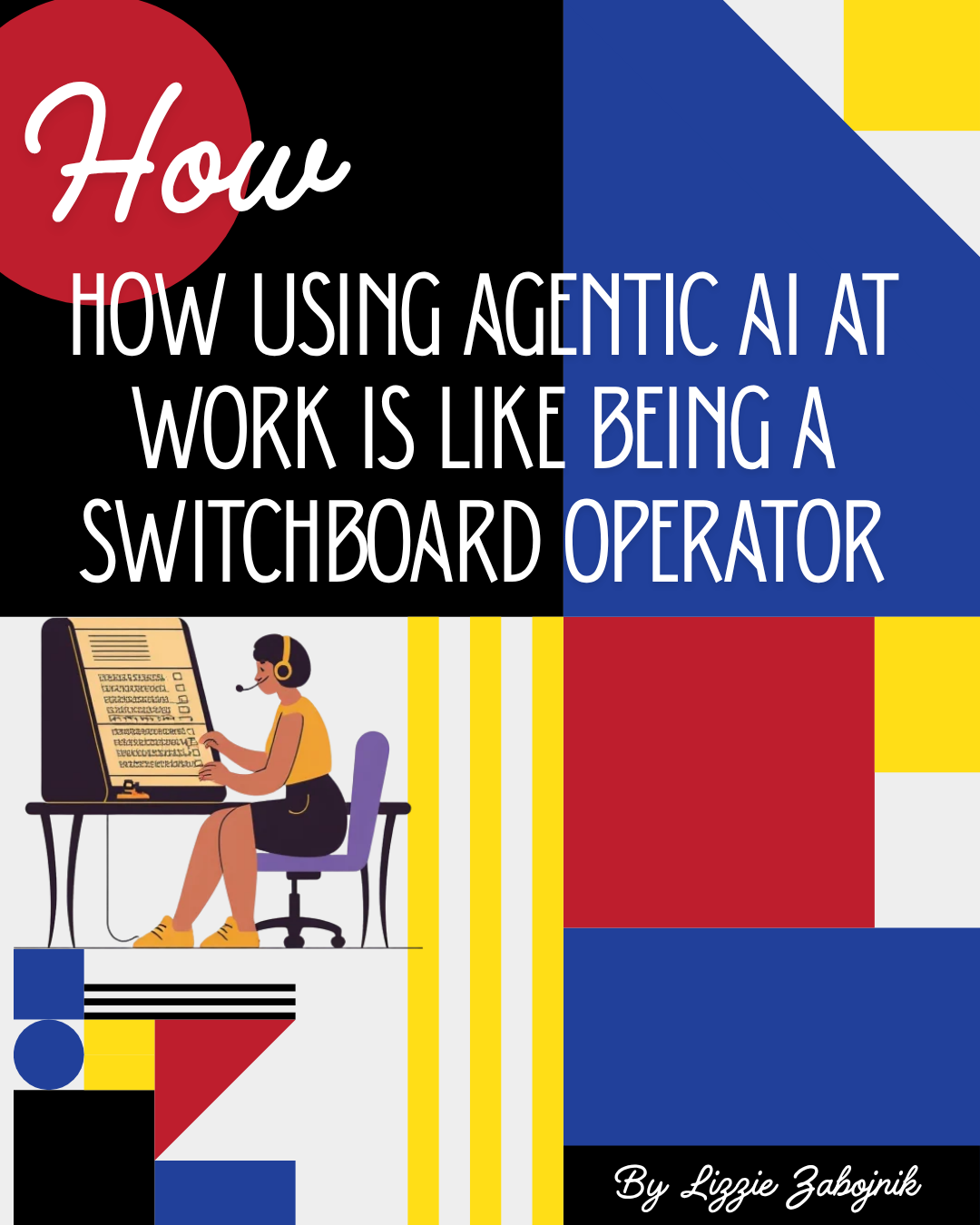
There's a moment that happens every day now, usually around my third or fourth agent conversation, where if I really stop and think about, I feel like interacting with AI is like being a switchboard operators from the 1940's.
I don't always build the calls (prompts). I don't generate the voices (testing rules). I sit in the middle, and I route them between agents and platforms. An agent says something here, I carry it over there. Another agent responds, I bring that response back. One output is too long, so I ask an agent to bottom-line it before I pass it along. A developer's agent produces logs, I hand those logs to my agent to interpret, and then I carry that interpretation to Monday.com. Back and forth. Plug in, pull out, plug in somewhere else.
If you work with multiple AI agents across multiple platforms, you already know what I'm talking about. And if you don't yet — you will. Because this is what working with AI actually looks like day to day. Not a single conversation with a single chatbot. A switchboard.
The Original Switchboard Operators
To understand why this analogy fits so well, it helps to understand what switchboard operators actually did.
When the telephone was first invented, calls didn't connect themselves. There was no automatic routing, no dial tone, no number you could punch in to reach someone across town. If you picked up your phone and wanted to talk to another person, your call went to a central exchange — a physical building filled with rows of switchboards — and a human being, almost always a young woman, manually connected you.
The operator sat at a vertical panel lined with hundreds of jacks — each jack corresponding to a specific phone line. When someone picked up their phone, a small light or flag appeared on the operator's board. She'd plug one of her cords into that jack and ask, "Number, please?" You'd tell her who you wanted to reach. She'd find that person's jack on her board, plug in a second cord, and ring their line. When they picked up, the circuit was complete. Two voices, connected by one pair of hands.
But it wasn't just one call at a time. A single operator might be juggling five, ten, fifteen simultaneous connections — each one at a different stage. One caller was still telling her the number they wanted. Another call was ringing and waiting for an answer. A third was connected and in progress, and she was monitoring it to know when to pull the cord. A fourth had just ended, and she needed to disconnect it and clear the line. A fifth was a long-distance call that required her to coordinate with another operator in another city — so now she was managing a connection between two switchboards, relaying information back and forth.
She was the middle of everything. She didn't initiate the calls. She didn't participate in the conversations. She connected them. She routed information from one line to another, managed multiple conversations at once, and had to jump between calls mid-stream without losing track of where any of them stood.

The Modern Switchboard: A Real Example
Let me walk you through an actual sequence from a recent workday. Not a hypothetical. Not a polished example. A real chain of agent interactions that happened in the span of about twenty minutes.
Call 1: The Long Agent Response in Monday
It started with a pulse in Monday.com. One of our agents — an AI assistant integrated into our Monday workspace — posted a lengthy update on a pulse I'm tracking. The update was detailed, thorough, and about six paragraphs long with multiple sections. It covered a customer's issue, the agents evaluation of the root cause in the code base, the impact of the proposed changes, estimated dev and QA time, and a list of possible next steps.
That's useful information. But it's not what I need in the moment. I need the bottom line. I need to know: what's the status, and what is the solution?
So I didn't read all six paragraphs. I opened te agent in Monday and asked it to summarize and bottom line it.
Call 2: Bottom-Line It
Prompt:
I just got this update from an agent in Monday.com. Can you bottom-line it for me? I need: (1) what's the current status in one sentence, (2) what's the recommended next step in one sentence, (3) is there anything blocking? Keep it under five lines total.
My agent read the six paragraphs and gave me three lines. Status: integration test inconclusive, customer's API calls are reaching our system but responses are timing out. Next step: re-run the test with verbose logging enabled to capture the full request and response cycle. Blocking: nothing — ready to proceed.
Three lines instead of six paragraphs. Now I have what I actually need. But I'm not done. I need to communicate this back to the customer — and the customer doesn't need to see my internal agent's bottom-line summary. They need a polished, customer-facing response with no false promises.
Call 3: Make It Customer-Facing
Same agent, new prompt:
Prompt:
Based on this bottom-line summary, write a customer-facing response. Tone: professional, warm, not overly technical. Let them know we're still investigating, that we're going to run one more test with enhanced logging to pinpoint the issue, and that we'll update them as soon as we have results. Keep it to 4–5 sentences. Sign it from the support team.
My agent produced a clean, friendly response. I reviewed it, tweaked one line, and posted it as an update on the ticket in the support desk. The customer now has a clear, reassuring message. Good.
But while I was doing that, something else happened.
Call 4: The Integration Test Update
In parallel — because there's always something in parallel — I had an integration test running. My agent had set up a QA test earlier that day to check whether API calls from our system to a third-party system were reaching that third-party system correctly. There were about 10 tests assigned to me that needed to be done asap and I needed to know bottom line how do I set up each test and ask my agent to evaluate if each passed or failed and why and how. I then needed to update the same Monday pulse I was already working on.
So I asked my agent:
Prompt:
Here is the test 8 from Monday, "Create an event....wait.....see if API calls are sent......see if those API calls are recorded in X and Y....see if the third-party system responses as X,...see what response we get back.....see if response is X or Y and if Y see if oru integration automatically retries...." Check software/integrations.com, integrationservice.com, and third-partysoftware.com and give me a dashbaord where I can view all the status on all three pages in one quick view.
Then my agent would tell me in simple terms what needed to be done and (depending on the complexity) set up the test for me and then schedule a check later to look at all three sites and update the summary dashboard based on what happened.
If the the end of the test passed and there was no update from my agent,
Prompt:
Check on the integration test we set up earlier? Give me the results.
My agent checked and came back: the test had completed, but the results were partial. The API calls were reaching their system — that part passed — but the responses were timing out, which meant the test was technically inconclusive. The agent gave me a detailed breakdown of what it observed with recommendations.
Also, there were so many tests back to back, many requiring multiple factors in each test situation, that while having to focus on other things at the same time, my agent was able to keep track of every detail and nuance and even found a "bug" that surfaced during my testing. With another prompt, I had a quick summarized update to share with a fellow QA tester who then used their own agent to confirm it and submit it as its own pulse for resolution.
Call 5: The Developer's Agent Weighs In
This is where it gets layered. The timeout issue wasn't something I could diagnose alone. A developer on our team had been looking into it, and their agent — the one they use for development work — had produced logs and a technical analysis of what was happening on the backend.
The developer shared their agent's output with me. It was dense. Request headers, response codes, timestamp comparisons, stack traces, and a technical hypothesis about a connection pool issue. Exactly the kind of thing a developer's agent produces — thorough, correct, and written for an engineer, not for a support person who needs to update a Monday pulse.
So I took the developer's agent output and brought it back to my agent.
Call 6: Interpret and Cross-Reference
Prompt:
I'm attaching the output from a developer's agent below. This is about the same integration test I asked you about — the one checking API calls from us to a third-party system. Based on what the developer's agent found in the logs, can you tell me: (1) does this confirm or contradict what our QA test showed? (2) Did our QA test effectively pass or fail based on this new information? (3) What's the bottom-line conclusion I should post in Monday.com?
I pasted the developer's agent output — the full thing, stack traces and all — and my agent cross-referenced it against the QA test results from earlier. Here's what it found: the developer's logs confirmed what our QA test showed. The API calls were reaching their system. The responses were timing out due to a connection pool exhaustion issue on the backend — the our system was opening more concurrent connections than our platform was configured to handle. The QA test had effectively passed in detecting the issue, even though the integration itself was failing. The test worked. The integration didn't.
That's a critical distinction, and my agent surfaced it clearly.
Call 7: Back to Monday
One more prompt:
Prompt:
Write a Monday.com pulse update based on everything above. Keep it professional but concise — this is an internal update, not customer-facing. 4–5 sentences.
My agent wrote the update. I posted it on the Monday pulse. Done.
Count the Connections
Let's count what just happened in those twenty minutes:
- Monday agent → produced a long update → I routed it to my agent
- My agent → bottom-lined it → I used that summary
- My agent → wrote a customer-facing response → I posted it back to the support ticket
- My agent → checked the QA test status → gave me partial results
- Developer's agent → produced technical logs → the developer routed them to me
- I routed the developer's agent output → back to my agent for interpretation
- My agent → cross-referenced the developer's logs against the QA test results → gave me a conclusion
- My agent → wrote a Monday pulse update → I posted it back to Monday
That's eight handoffs. Four different agents (my agent, Monday's agent, the developer's agent, and implicitly the QA test agent). Two platforms. One person in the middle, routing information back and forth, translating between technical and non-technical, condensing long outputs into short ones, expanding short questions into detailed prompts, and carrying results from one place to another.
I didn't write the customer's issue. I didn't generate the logs. I didn't run the backend diagnostics. I didn't produce the QA test results. I sat in the middle and I connected them. I plugged one agent's output into another agent's input, over and over, until the circuit was complete and the right information was in the right place.
I was a switchboard operator.
"You Have to Use AI to Use AI"
Here's the thing that catches people off guard when they first start working this way: the volume. AI doesn't just give you better answers. It gives you more answers. Faster. Longer. More detailed. More frequent. And when you're working across multiple agents — each one producing its own outputs, each one responding to its own prompts — the volume compounds.
An agent in Monday posts a detailed update. A developer's agent produces a log analysis. Your agent gives you a QA test summary. Another agent surfaces an alert. A customer replies. Another agent responds to that. All of this is happening, and all of it is useful — but the sheer volume of information coming at you, generated by AI, means that you can't process it all manually anymore. You don't have time to read every six-paragraph update, parse every stack trace, and cross-reference every log file by hand.
So you use AI to use AI.
You take one agent's long output and ask another agent to bottom-line it. You take a technical response and ask your agent to translate it into something you can post in Monday. You take a developer's agent output and feed it back into your own agent to see if it aligns with what your QA test showed. You copy from here, paste over there, ask for a summary, ask for a rewrite, ask for a cross-reference, paste the result somewhere else.
It's not lazy. It's not a workaround. It's the only way to keep up. The agents are producing information faster than any human can process it, and the only tool that can process AI-generated information at that speed is another AI. You're not just working with AI. You're routing between AIs. You're the operator. They're the lines.
Jumping Between Calls Mid-Conversation
Here's another part of the switchboard analogy that lands harder than I expected: the jumping.
A switchboard operator didn't finish one call before starting the next. She had multiple lines active at once, and she had to context-switch between them constantly. One caller was mid-sentence when a light lit up on another jack — someone else was picking up, needing to be connected. She'd put the first call on hold, answer the second, plug in a cord, ring a line, then swing back to the first call and pick up right where she left off. All day. Back and forth. Hold this, answer that, connect this, disconnect that, swing back.
That's exactly what working with agents feels like now.
I'll be mid-conversation with my agent — maybe it's in the middle of interpreting those developer logs and it just asked me a clarifying question about the QA test parameters — when a notification pops up from Monday. A new update landed on a different pulse. A customer's agent posted something. Someone's waiting. I switch tabs, read the update, realize it needs a response, switch to my agent, start a new line of conversation about that issue, then remember I was in the middle of the first conversation, switch back, answer the clarifying question, get the result, then switch back to the second conversation to continue that one.
Two conversations. Two agents. Two contexts. One person, jumping between them, holding both in their head, trying not to drop either.
And it's not always two. Sometimes it's three. Sometimes four. An agent in Monday is composing an update. My agent is mid-analysis on a QA test. A developer is messaging me their agent's output in Slack. An email comes in from a customer that needs to be routed to my agent for a draft response. All at once. All mid-stream. All requiring me to hold the thread of each one and swing back to it without losing the context.
The operators used to call it "the board lighting up." That's what it feels like when three agent notifications hit at the same time and you're already mid-prompt on two of them. The board is lighting up. Time to start plugging in cords.
The Skill Isn't Prompting. It's Routing.
When people talk about working with AI, they focus on prompting. "Learn to write better prompts." "Prompt engineering is the skill of the future." And sure — prompting matters. A good prompt gets a good response. We've all learned that the hard way.
But prompting is what happens on a single call. It's what you say into the phone once you're connected. It's important, but it's not the whole job.
The real skill — the one that nobody is teaching yet, because it's only becoming obvious now that people are actually working this way — is routing. Knowing which agent to send which information to. Knowing when to bottom-line a response before passing it along. Knowing when to translate a technical output into a non-technical one. Knowing when to cross-reference one agent's output against another's. Knowing which platform to post the final result in. Knowing how to hold three conversations at once without losing the thread.
The switchboard operators weren't valued for their conversation skills. They were valued for their routing skills — their ability to manage multiple connections simultaneously, to know which jack connected to which line, to keep the whole system flowing without dropping calls or crossing wires.
That's us now. The agents are the lines. We're the operators. The skill is keeping it all connected.
Bottom Line
A photograph I keep thinking about shows an early-1900s switchboard room—dozens of operators connecting calls, moving between lines, and keeping conversations flowing.
That room is my desk now.
The callers are AI agents. The cords are prompts, responses, APIs, and platforms. I sit in the middle, routing information from one agent to another—condensing, translating, cross-referencing, and moving results where they need to go.
And just like the operators, I'm not passive in this. The system doesn't work without me. The agents are powerful, but they don't know what each other said. They don't know which output needs to go where. They don't know that the developer's logs are relevant to the QA test, or that the Monday update needs to be rewritten for a customer, or that the six-paragraph response needs to be three lines before it's useful to anyone. I know that. I'm the one making the connections. I'm the one deciding what gets routed where.
The agents are getting more powerful. The outputs are getting longer and faster. The number of platforms and integrations is growing. And the person in the middle — the one routing, bottom-lining, translating, cross-referencing, and connecting — is becoming the invisible infrastructure that makes all of it work.
You don't just prompt an agent anymore. You operate a switchboard. The board is lit up. The calls are coming in. And there's no one else to plug in the cords.
The question isn't whether AI will change how we work. It already has. The question is whether you've realized that your job — the real job, the one that ties it all together — is sitting at the board and keeping the lines connected.
Because if you're not routing, you're not working. You're just holding a dead phone.