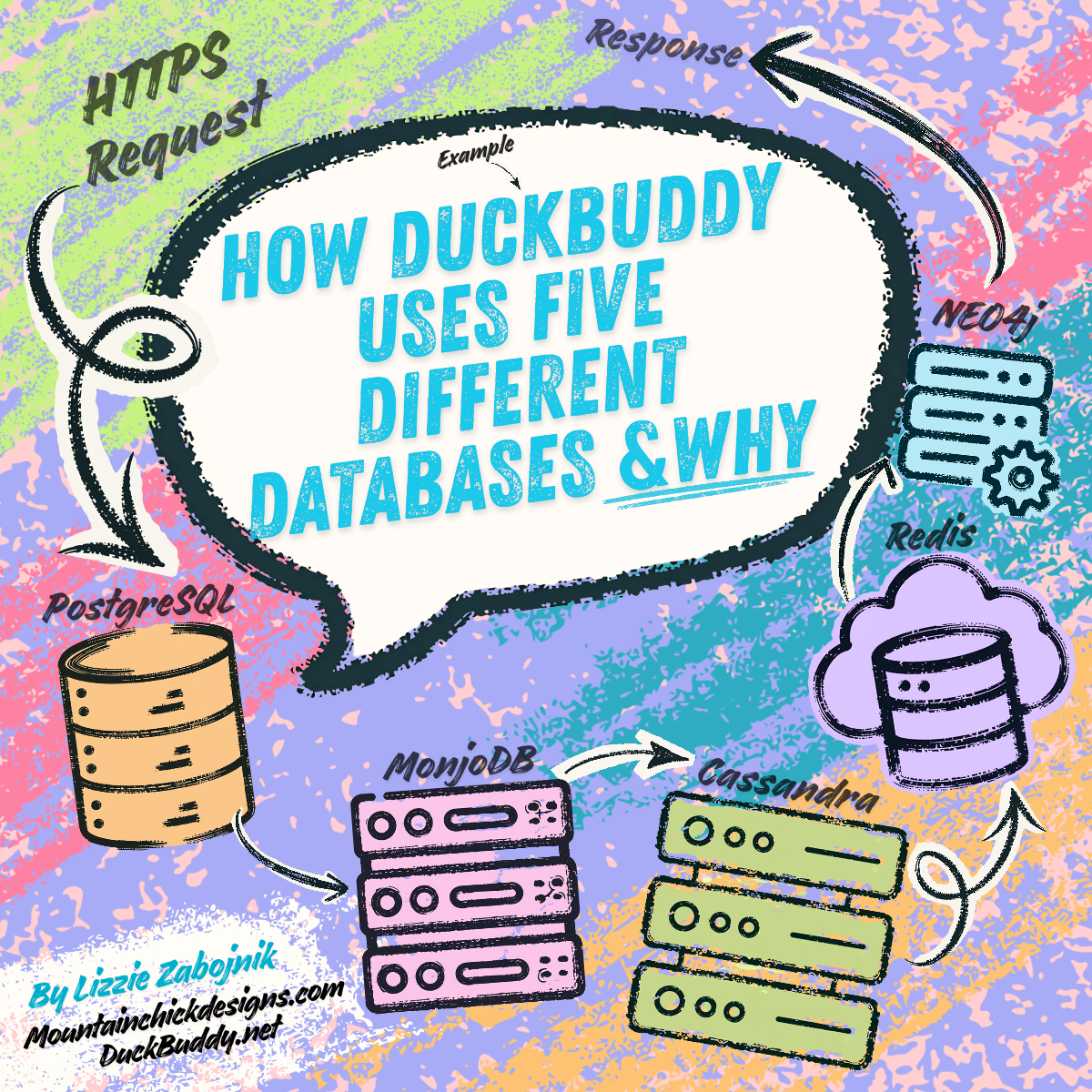
How DuckBuddy Uses Five Different Databases & Why
Imagine you're building a house. You wouldn't use a hammer for everything — you'd use a hammer for nails, a saw for wood, a level for surfaces, and so on. Each tool has a job it does better than any other tool.
Most companies, DuckBuddy included, work the same way with its data. Behind the scenes, DuckBuddy doesn't rely on just one database — it uses five different databases, each chosen because it's the best tool for a specific kind of job. Using the wrong database would be like trying to cut wood with a hammer: it might eventually work, but it would be slow, messy, and frustrating.
This article explains what each of the five databases does, why DuckBuddy chose it, and real examples of the kind of information each one handles. The examples come directly from the DuckBuddy Query Reference, a developer-facing document that lists the top queries written against each database. Here, we've selected the top 5 examples from each database type and translated them into everyday language.
1. PostgreSQL — The Filing Cabinet
Type: Relational database (SQL)
What it is: Think of PostgreSQL as a giant filing cabinet with perfectly organized folders. Every folder has a label, every document inside has a tab, and everything connects to everything else with little clips. If you need to find "all users who signed up in June and live in the US," PostgreSQL pulls the right folder, flips to the right tab, and hands you the answer in less than a millisecond.
Why DuckBuddy uses it: PostgreSQL is the source of truth. It holds the most important, structured data: user accounts, passwords, billing information, profiles, and audit logs (records of every action taken on the platform, kept for security). When absolute accuracy and reliability matter — like making sure a payment goes through or a user account isn't accidentally deleted — PostgreSQL is the database you want. It guarantees that if you start an operation, it either completely finishes or completely rolls back. No half-done actions, ever.
Share of DuckBuddy's data: ~35% of all data, ~30% of all database code.
Top 5 Examples
1. User Registration
When someone signs up for DuckBuddy, two things must happen: a new account is created and a new profile is created. If the profile creation fails, the account creation must be undone — otherwise you'd have a user with no profile, which would break the app. PostgreSQL handles this "all or nothing" guarantee automatically. No other database in DuckBuddy's toolkit can do this across two separate tables.
2. Login
When you log in, DuckBuddy needs to pull your account details and your profile information at the same time. PostgreSQL can combine data from two different tables in a single request — like pulling two related documents from the same folder. Other databases would require two separate lookups, doubling the time it takes.
3. Searching Users with Filters
If you search for "backend engineers in the US who prefer async communication," PostgreSQL uses its built-in indexing — like a book's index page — to find matching profiles in under a millisecond. It's exceptionally good at combining multiple filters and sorting the results instantly.
4. Recording an Audit Log
Every time someone logs in, changes their password, or makes a payment, DuckBuddy writes a permanent record of it. These records must never be lost, even if other systems crash. PostgreSQL has a built-in safety mechanism (called a Write-Ahead Log) that ensures data is saved to disk before it's reported as successful.
5. Saving a Video Call Summary
When a video call ends, the details (who was on it, how long it lasted, when it started and stopped) must be saved permanently — for billing, history, and analytics. Redis (another database, explained below) holds the live call data temporarily, but once the call ends, PostgreSQL takes over and stores the summary forever.
2. MongoDB — The Flexible Notebook
Type: Document database (NoSQL)
What it is: Imagine a notebook where each page can have a completely different layout. One page might have a checklist, another might have a mind map, and another might have a numbered list with sub-notes. You don't have to decide the format ahead of time — you just write whatever shape makes sense for that particular page. That's MongoDB.
Why DuckBuddy uses it: Some data doesn't fit neatly into rows and columns. An AI search session, for example, might have a variable number of reasoning steps, each with different fields. A user's profile might have an array of interests that grows over time. MongoDB stores data as flexible "documents" (think JSON objects) that can hold nested, complex, evolving structures without ever needing to redesign the database schema. It also has built-in vector search — a special kind of search that finds profiles that are semantically similar to a given profile, which is essential for DuckBuddy's AI-powered matching.
Share of DuckBuddy's data: ~25% of all data, ~25% of all database code.
Top 5 Examples
1. Vector Search for Profile Similarity
When DuckBuddy's AI looks for people similar to you, it turns your profile into a list of 1,536 numbers (a "vector" — think of it as a GPS coordinate for your personality and skills). MongoDB then searches for other profiles whose coordinates are closest to yours. It's like asking "who lives near me?" but in personality space. MongoDB stores the vector and the profile data together, so it can do this search in one step.
2. Vector Search Combined with Filters
DuckBuddy doesn't just find similar people — it finds similar people who also meet your filters. For example: "find people similar to me, but only in the US, who prefer async communication, and who are interested in Rust." MongoDB can combine the similarity search with these structured filters in a single operation. Doing this in another database would require joining data from multiple places.
3. Fetching a Complete Profile in One Step
A DuckBuddy profile page shows interests, personality scores, goals, current projects, preferences, and compatibility scores. In a relational database, this data would be spread across 3–4 separate tables that need to be joined together. In MongoDB, the entire profile is stored as a single document — so retrieving it is one simple fetch, like pulling one page out of the notebook.
4. Storing an AI Search Session
When you search for someone on DuckBuddy, the AI goes through a multi-step reasoning process: it parses your query, does a vector search, expands through a graph of connections, and ranks the results. Each step has different fields and a different structure. MongoDB stores this entire reasoning trail as one flexible document — no rigid schema required.
5. Updating a Profile Embedding
When you update your profile (say, you change your job title), DuckBuddy regenerates your 1,536-number vector in the background. MongoDB updates just the vector field in your profile document without rewriting the whole document — like crossing out one line on a notebook page and writing the new one, rather than rewriting the entire page.
3. Redis — The Whiteboard
Type: In-memory key-value store
What it is: Redis is like a giant whiteboard that sits right next to you. Writing on it and reading from it is nearly instant — less than a millisecond — because everything lives in memory (RAM), not on a hard drive. But like a whiteboard, the information is temporary: when the session ends or the power goes out, the notes are gone (unless you deliberately save them somewhere else).
Why DuckBuddy uses it: Redis handles data that is live, temporary, and needs to be lightning fast. During a video call, for example, the system tracks who's muted, who has their camera on, and who's sharing their screen. This information changes dozens of times per minute and must update instantly — a half-second delay would feel broken. Redis also handles rate limiting (making sure no single user floods the API with too many requests) and session tokens (keeping you logged in). When the live moment is over, Redis hands the important data off to PostgreSQL for permanent storage.
Share of DuckBuddy's data: ~5% of all data (it's ephemeral!), ~15% of all database code.
Top 5 Examples
1. Tracking Who's in a Video Call and Their State
During a call, Redis stores each participant's current state: audio on/off, video on/off, screen sharing, hand raised. These values change constantly (mute, unmute, mute, unmute...). Each update completes in 0.3 milliseconds — fast enough that the video call interface feels instantly responsive. PostgreSQL would take 8 milliseconds per update, which would cause visible lag.
2. Broadcasting Events to All Participants
When Sarah mutes her microphone, every other person in the call needs to know immediately. Redis has a built-in "publish/subscribe" feature — like a walkie-talkie system — that broadcasts the mute event to all connected participants in 2–5 milliseconds. No other database in DuckBuddy's stack can do this natively.
3. Automatic Cleanup After Disconnect
If Sarah's internet drops or she closes the tab, her video call state should disappear so others know she's no longer active. Redis can automatically delete a piece of data after a set time (in this case, 60 seconds). If her connection comes back, the heartbeat refreshes the timer. No manual cleanup code needed — it just happens.
4. Refreshing the Heartbeat
Every 30 seconds, each participant in a call sends a "heartbeat" — a tiny message saying "I'm still here." Redis processes these heartbeats in batches and refreshes the countdown timers. With 100 people across 10 calls, that's a steady stream of heartbeats that Redis handles without breaking a sweat. PostgreSQL would buckle under this constant stream of tiny updates.
5. Rate Limiting API Requests
To prevent abuse, DuckBuddy limits each user to 100 API requests per minute. Redis counts each request with a single atomic increment (add 1 to the counter) that takes 0.1 milliseconds. If the counter hits 100, the API rejects further requests for that minute. Redis's single-threaded design means the count is always accurate, even when thousands of requests arrive at the same instant.
4. Apache Cassandra — The Conveyor Belt
Type: Wide-column database (NoSQL)
What it is: Imagine a conveyor belt in a factory. Items come down the line one after another, and each one is stamped with a timestamp and sorted into its bin. You can add items incredibly fast — just drop them on the belt. You can pull up the last 50 items from any bin instantly. But you can't easily join items from different bins, and you wouldn't use the conveyor belt for complex analysis. It's built for speed of writing and retrieving time-ordered data at massive scale.
Why DuckBuddy uses it: Chat messages. DuckBuddy's users send millions of messages per day, and those messages are always appended — never updated, never rearranged. Cassandra is purpose-built for this: it writes data by simply appending to the end of a file (no locks, no waiting), and it can replicate across data centers around the world automatically. A user in London reads their chat messages from a nearby European server, not from one in Virginia. PostgreSQL could handle chat messages initially, but at DuckBuddy's scale and global distribution, Cassandra is the right tool.
Share of DuckBuddy's data: ~20% of all data (highest volume!), ~15% of all database code.
Top 5 Examples
1. Sending a Chat Message
When you send a message in a DuckBuddy chat room, Cassandra writes it instantly by appending to the end of a sorted file. There's no locking, no transaction overhead — it's a pure append operation. This is why Cassandra can handle millions of writes per second across the globe while PostgreSQL would eventually slow down.
2. Loading the Last 50 Messages
When you open a chat room, DuckBuddy shows the most recent 50 messages. All messages in a conversation are stored together on the same server, sorted by time. Cassandra pulls them in under 5 milliseconds — just one quick lookup at the end of the sorted list. No index to traverse, no joins to compute.
3. Retrieving Messages from a Specific Time Range
If you want to see what was said between 2:00 PM and 3:00 PM yesterday, Cassandra scans only that time window within the conversation. Because messages are sorted by timestamp within each conversation's partition, this is a simple range scan — fast and efficient even when a conversation has thousands of messages.
4. Marking a Message as Read
When you read a message, DuckBuddy adds your user ID to a "read by" list attached to that message. Cassandra handles this as a lightweight update — just adding one ID to a set. No complex transaction, no multi-table join. It's a small surgical change to one row.
5. Soft-Deleting a Message
If someone deletes a message, DuckBuddy doesn't actually erase it — it marks it with a "deleted at" timestamp (called a tombstone). The app simply hides tombstoned messages from the user interface. This approach preserves the message for audit and compliance purposes while making it invisible to users. Cassandra's append-only storage model makes this especially efficient — the "delete" is really just another write.
5. Neo4j — The Map of Connections
Type: Graph database (NoSQL)
What it is: Imagine a wall covered in sticky notes, each representing a person. Strings connect the notes: "knows," "shares interest in Rust," "wants to be a mentor." When you want to find out how two people are connected, you just follow the strings. That's Neo4j — a database that stores data as nodes (the sticky notes) and relationships (the strings). The relationships are first-class citizens, not just entries in a lookup table.
Why DuckBuddy uses it: DuckBuddy is fundamentally about connections between people. Finding friends-of-friends, recommending people who share your interests, computing the shortest path between two users, detecting communities of densely connected people — these are graph problems. In a traditional database, these queries require joining the same table to itself multiple times, which gets exponentially slower as the network grows. Neo4j follows relationships directly (like following a string from one sticky note to the next), so it stays fast no matter how large the network becomes.
Share of DuckBuddy's data: ~15% of all data, ~15% of all database code.
Top 5 Examples
1. Creating a Person Node
When a user registers, DuckBuddy creates a "Person" node in the graph. This node holds personality attributes (extrovert/introvert score, adventurous/homebody score, whether they want a mentor) that will be used for graph-based matching. Think of it as pinning a new sticky note on the wall.
2. Creating a Social Connection
When two users become connected on DuckBuddy, Neo4j draws a "KNOWS" relationship between their two nodes — like tying a string between two sticky notes. That relationship can have its own properties (when they connected, whether it's a direct or indirect connection). In a traditional database, this would be a row in a junction table with two foreign keys. In Neo4j, the relationship is a direct link that can be followed instantly.
3. Friend-of-Friend Discovery
"Who should Sarah connect with?" DuckBuddy finds people who are two hops away from Sarah (friends of her friends) that she isn't already connected to, and ranks them by how many mutual friends they share. In Neo4j, this is a single pattern — "follow the KNOWS string twice." In SQL, this requires joining the connections table to itself twice, which becomes slow as the network grows.
4. Interest-Based Recommendations
DuckBuddy finds people who share your interests by looking for other Person nodes connected to the same Interest nodes. If Sarah likes Rust and Kubernetes, Neo4j follows the "INTERESTED_IN" strings from Rust and Kubernetes to find everyone else who also likes them — then ranks the results by how many interests overlap. In SQL, this requires joining three tables (users, interests, and the user-interest junction) plus a self-join. Neo4j does it by following strings.
5. Finding the Shortest Path Between Two People
"How did Sarah and Priya get connected?" Neo4j can find the shortest chain of connections between any two people using a "breadth-first search" — it radiates outward from Sarah until it hits Priya, and returns the path. This takes milliseconds. In SQL, there is no built-in way to do this — you'd need a complex recursive query with unpredictable performance.
Bottom Line
DuckBuddy's decision to use five databases instead of one(like many companies) is not about complexity for complexity's sake — it's simply about using the right tool for each job. PostgreSQL is the reliable filing cabinet for accounts and billing. MongoDB is the flexible notebook for AI sessions and similarity search. Redis is the speed whiteboard for live video calls and rate limiting. Cassandra is the conveyor belt for millions of chat messages flowing in from around the world. And Neo4j is the connection map for finding how people relate to each other.
Each database handles a type of data that the others would struggle with. Trying to store live video call state in PostgreSQL would be too slow. Trying to do friend-of-friend discovery in MongoDB would require massive data duplication. Trying to run multi-table transactions in Cassandra would be impossible. The magic of DuckBuddy's architecture is in knowing which database to reach for — and when.